Fiber Fundamentals
Fiber Fundamentals
Reliable RF over fiber starts with the right signal levels, fiber, and connections. This guide explains how to carry broadband CATV and satellite RF signals over single-mode fiber and achieve clean, consistent performance at the receiver.
Three rules for a reliable fiber link
- Set the correct RF input level. Follow the transmitter’s specifications for your channel loading.
- Match optical power to path loss. Include fiber, splices, connectors, splitters, and other passive components.
- Deliver the correct optical power to the receiver. Aim for the receiver’s specified operating sweet spot.
These principles follow the same balance of noise and distortion described in the amplifier sweet spot article.
Choose the right fiber
The wideband analog RF links described here use single-mode fiber with a core approximately 9 microns in diameter. SMF-28 and G.652 fiber are suited to the 1310 nm systems discussed in this guide. Fiber optimized for other wavelengths may have different dispersion characteristics.
Multimode fiber typically has a 50- or 62.5-micron core. Light travels along multiple paths through that larger core, creating differences in arrival time. Use the specified single-mode fiber for these RF links.
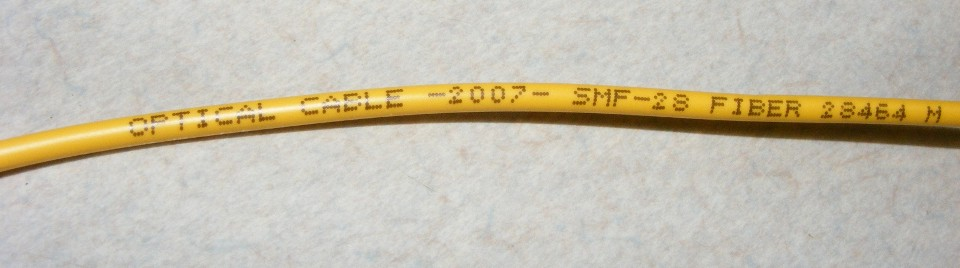
Using the OTOA-1000 attenuator
The OTOA-1000 uses controlled fiber bends to attenuate 1310 nm signals in compatible SMF-28 fiber. The largest loop provides approximately 1 dB of attenuation, the middle loop 2 dB, and the smallest loop 4 dB. Combining loops provides approximately 1–7 dB; the arrangement shown provides about 5 dB.
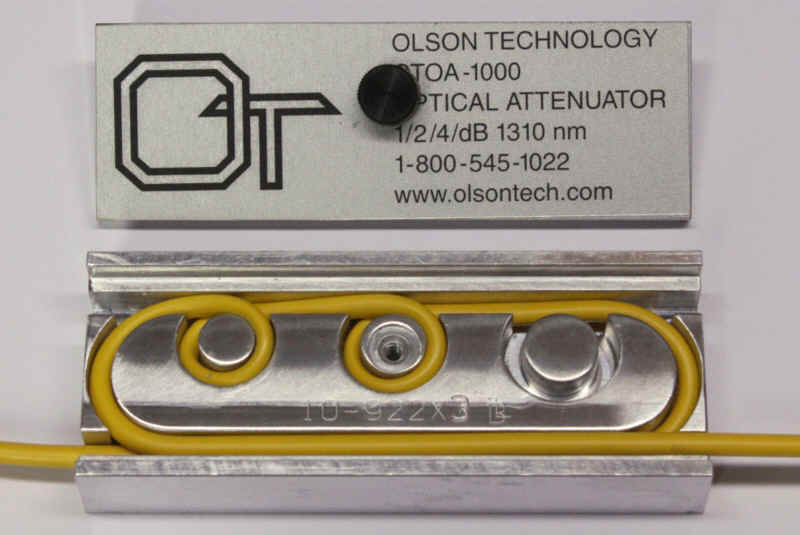
Bend-insensitive G.657 jumpers do not respond to this attenuator in the same way. The OTOA-1000 is also unsuitable for 1550 nm operation: the largest loop and strain-relief loop can introduce nearly 6.5 dB of loss at that wavelength, compared with approximately 1 dB at 1310 nm in SMF-28 fiber. See the OTOA-1000 data sheet.
Rule 1: Set the correct RF input level
CATV optical transmitters convert a group of RF channels into variations in laser output. Many use distributed feedback (DFB) lasers, including butterfly packages with optical outputs of +8 to +15 dBm. The transmitter’s RF circuitry matches the 75-ohm input to the laser and sets the drive level.
Too little RF input reduces carrier-to-noise performance. Too much input increases composite triple beat (CTB) and composite second order (CSO) distortion. Follow the transmitter manual and account for both the number and type of channels.
Keep channels of the same type at equal levels. In traditional mixed NTSC and QAM-256 systems, QAM channels are commonly operated 6 dB below analog channels. Older mixed systems often set QAM-64 channels 10 dB below NTSC channels, while QAM-256 channels were commonly 6 dB lower. Some installations retained analog pilot carriers for amplifier gain control. Use the level plan specified for your system.
Keep the measurement units clear
- dBmV: RF voltage referenced to 1 millivolt, commonly used in CATV systems.
- dBm: Power referenced to 1 milliwatt, used for optical power and many RF measurements.
- dBW: Power referenced to 1 watt.
QAM channels still require a linear RF link
A QAM channel carries digital information through changes in an RF carrier’s amplitude and phase. It still needs a clean RF transmission path. On a spectrum analyzer, a QAM channel appears as a broad, noise-like signal beside the distinct carriers of an analog television channel.
QAM-256 has 256 symbol states, shown as a 16-by-16 constellation. Noise, distortion, and group delay can spread or displace the measured points, causing picture tiling, interruptions, or loss of reception.

Satellite RF over fiber
Fiber links can avoid the high coaxial cable losses associated with satellite LNB signals above 1 GHz. Keep the coaxial run between the antenna and optical transmitter short, and balance the RF signals before transmission.
The legacy DIRECTV example in the original article uses three 500 MHz blocks: 250–750 MHz, 950–1450 MHz, and 1550–2050 MHz. A polarity locker supplies the antenna control voltages and 22 kHz tone needed to select the required outputs. Glass fiber does not carry those electrical control signals.
Rule 2: Control loss and reflections throughout the fiber path
RF over fiber is sensitive to optical reflections. Unlike an on/off digital optical link, an RF optical link carries relatively small variations in light intensity. Optical modulation index (OMI) may be 10% or less, with approximately 3% common in heavily loaded systems. Reflections can therefore degrade the recovered RF signal significantly.
Use angle-polished connections
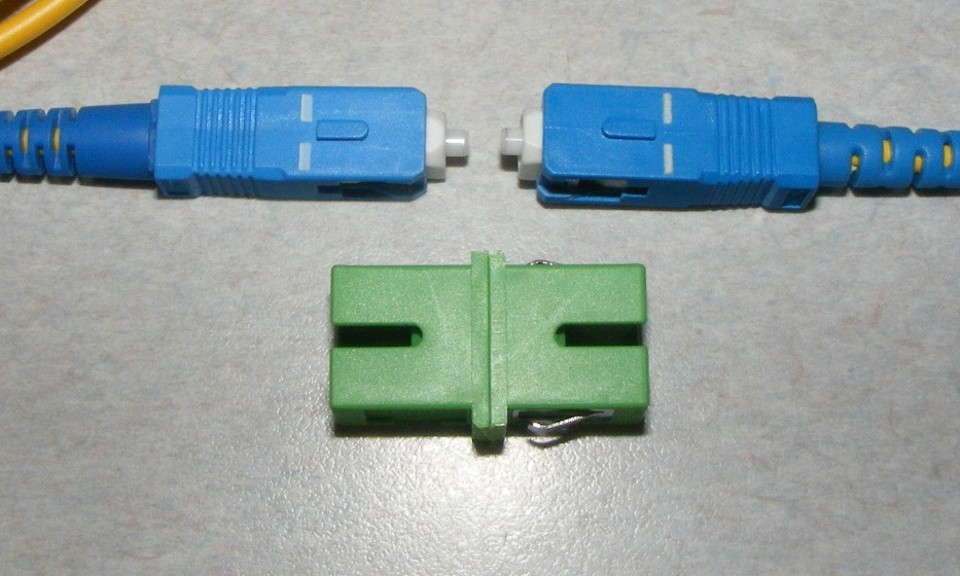
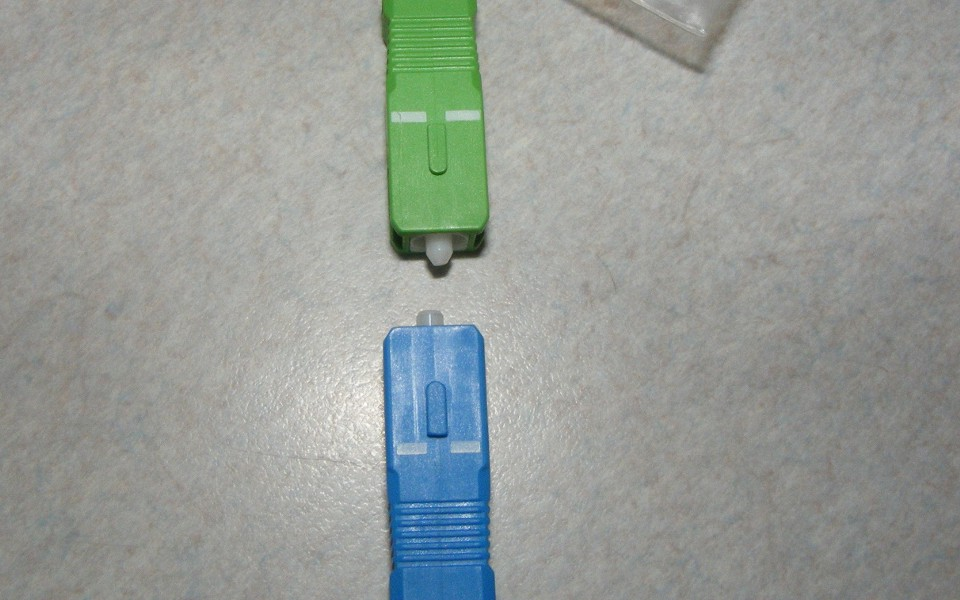
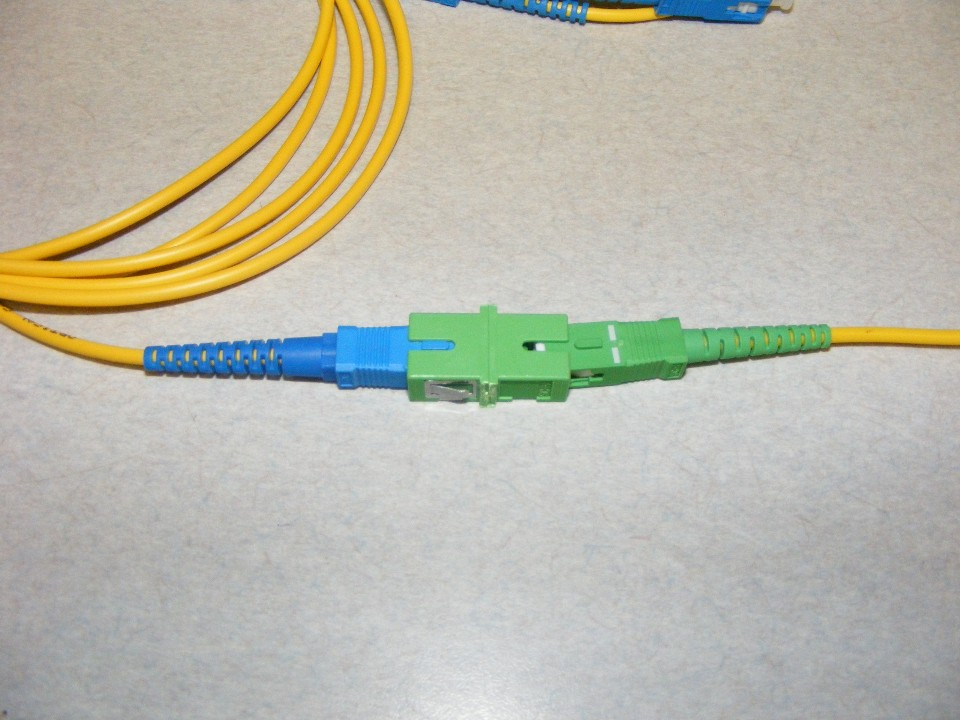
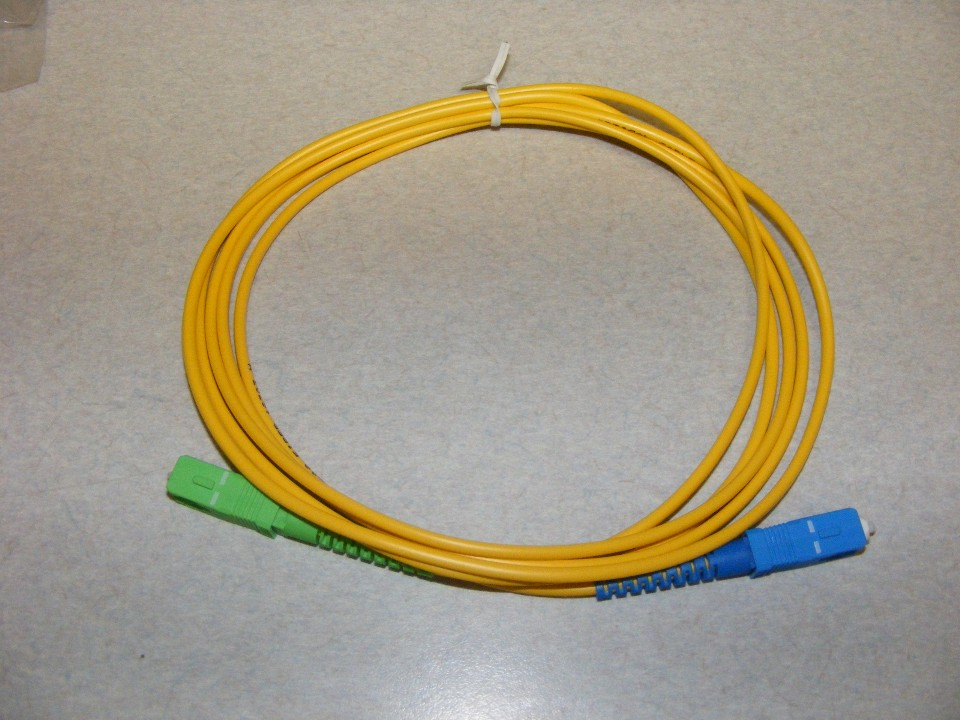
For the RF links described here, use compatible green APC connectors throughout the optical path. Flat-polished PC or UPC connections can reflect light back along the fiber. APC connections direct reflected light away from the core.
Flat-polished connection
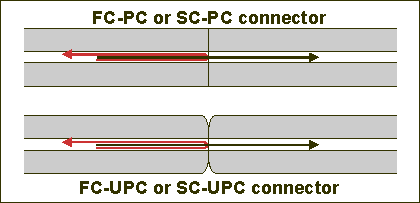
Angle-polished connection
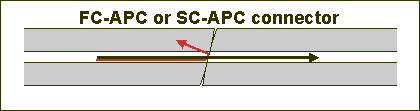
A clean, properly mated APC connection typically introduces about 0.2 dB of loss. Confirm the connector type on both sides of every bulkhead adapter.
Never mate APC and UPC connectors. Their end faces do not meet correctly. The mismatch can damage the ferrules and introduce 5–10 dB of optical loss. In these direct-detection RF links, that can reduce the recovered RF level by approximately 10–20 dB.

How reflections affect the picture
The original APC and UPC connector comparison video demonstrates a change of approximately 20 dB in the RF noise floor. A higher noise floor reduces carrier-to-noise performance: analog pictures can become snowy, while QAM reception can develop blocks, freeze, or fail.
Two facing mirrors offer a simple analogy. Each reflection travels an extra distance and loses some intensity. Reflections between optical interfaces likewise create delayed light paths that can interfere with the recovered RF signal.
Check reflections with an OTDR
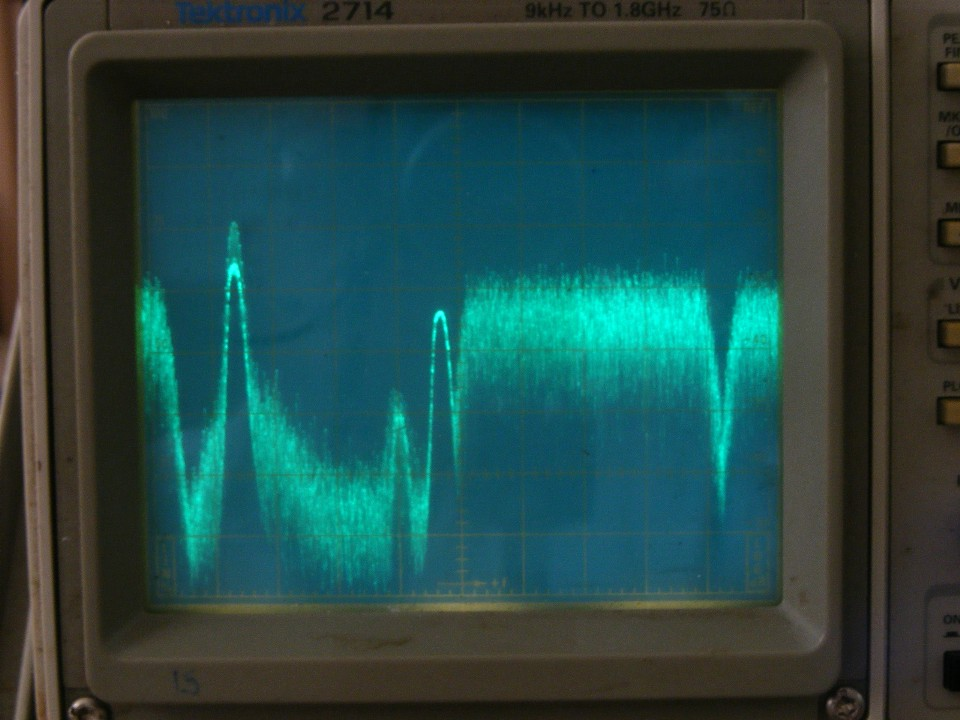
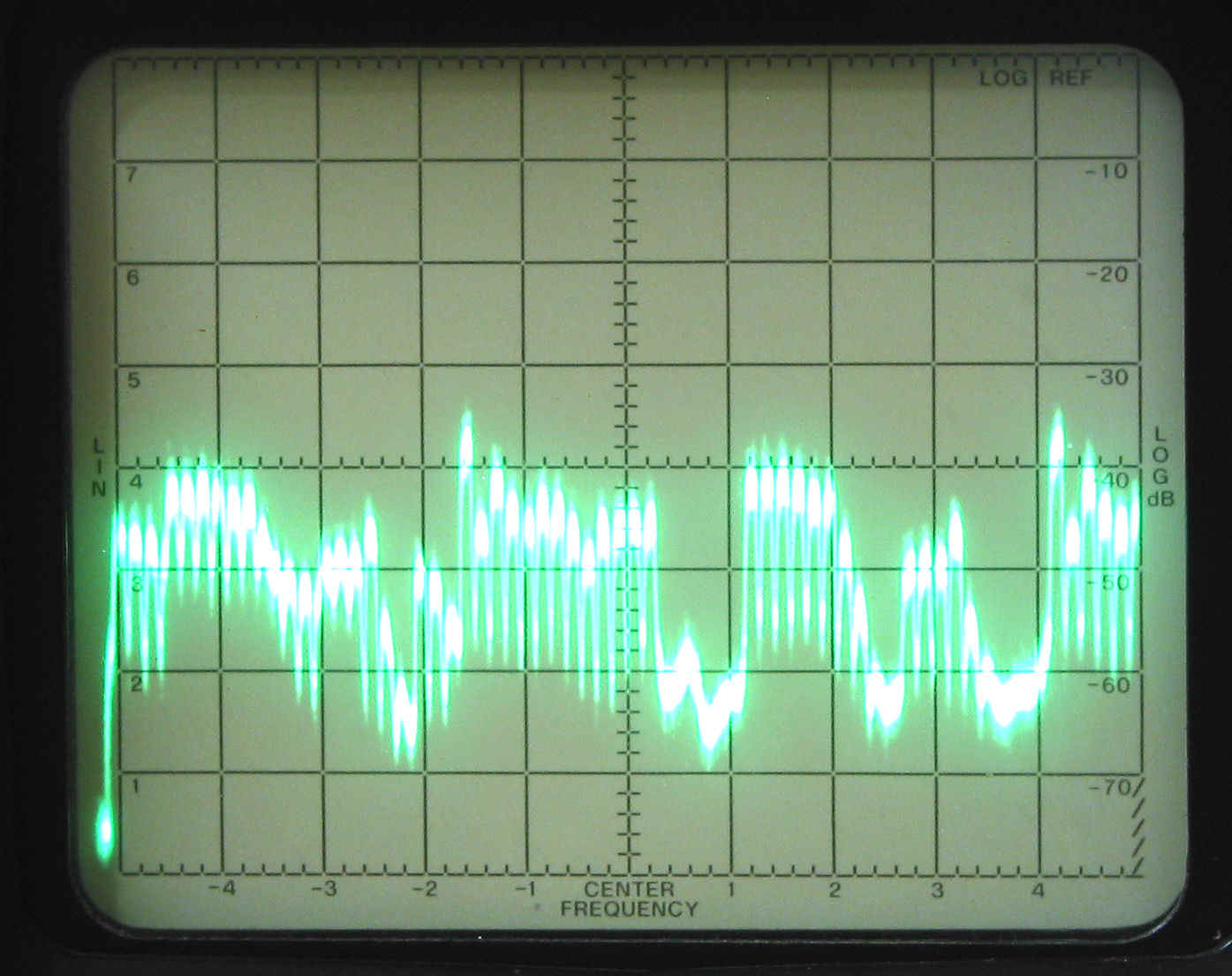
An optical time domain reflectometer (OTDR) shows reflections as spikes along the fiber trace. The original installation account describes improvement after flat-polished connections were replaced with fusion-spliced, factory-made APC pigtails. Reducing connection loss also made room in the optical budget for wavelength multiplexing components. The traces below compare the same path before and after the connection changes.
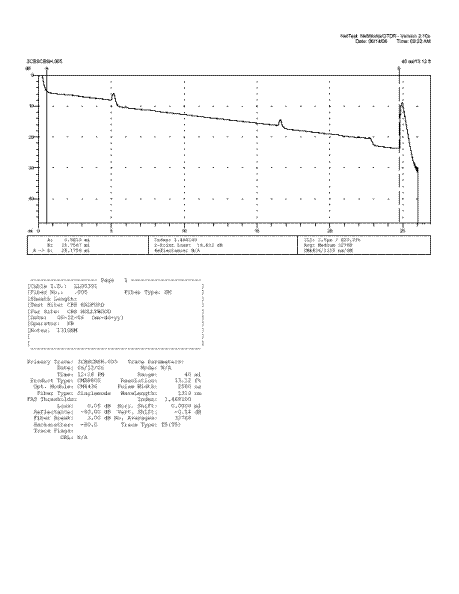 Before: flat-polished connections
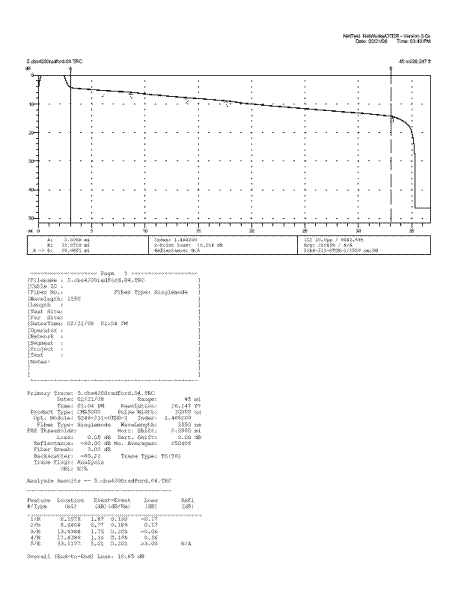 After: fusion-spliced APC pigtails
Use factory-made pigtails and fusion splices
A green connector housing alone does not guarantee a low-reflection connection. Some field-installable connectors contain a mechanical interface between cleaved fiber ends. That internal interface can introduce reflections even when the front face is angle-polished.
For these RF installations, use factory-made APC pigtails fusion-spliced to the long fiber runs. The trace below documents reflections from field-installed connectors on a 680-foot link in the original installation example.
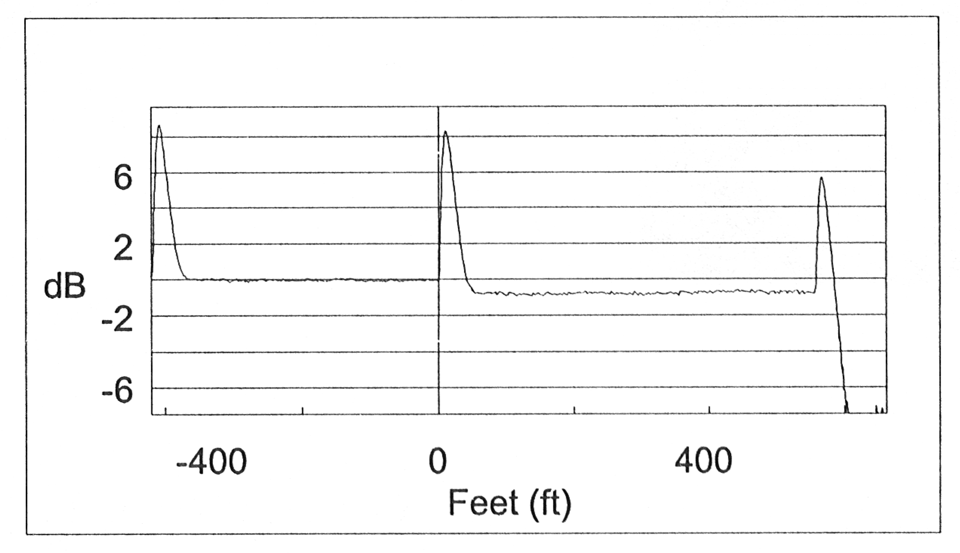
Low-loss splices help preserve the optical budget. The original design examples allow up to 0.05 dB per splice; a well-made core-aligned fusion splice can be around 0.02 dB. Measure the completed link rather than relying on nominal component values alone.
Identify the connector types
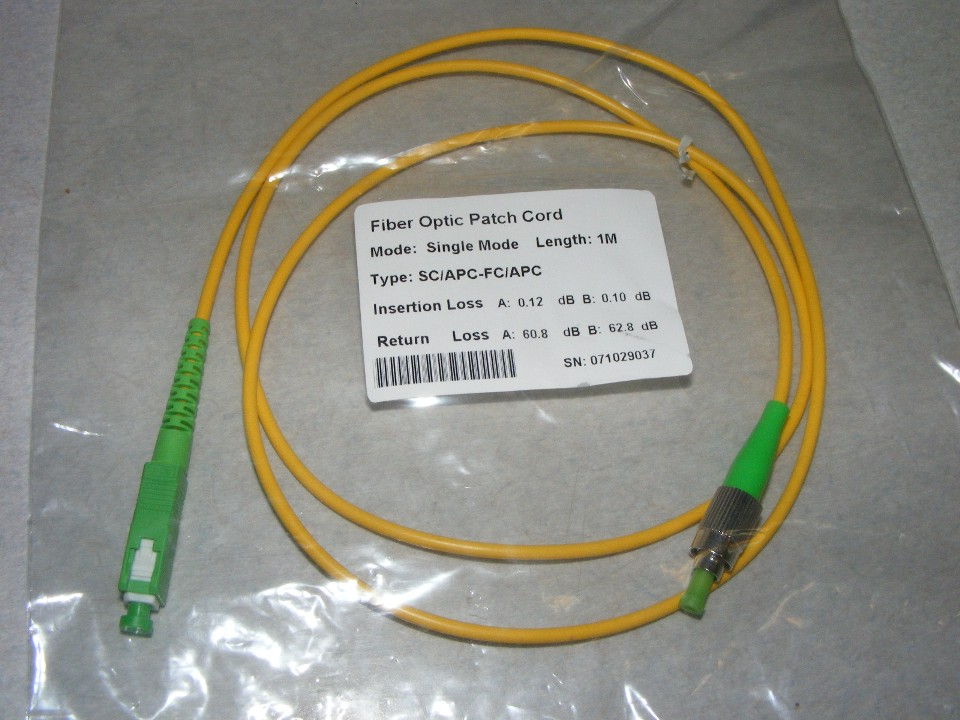
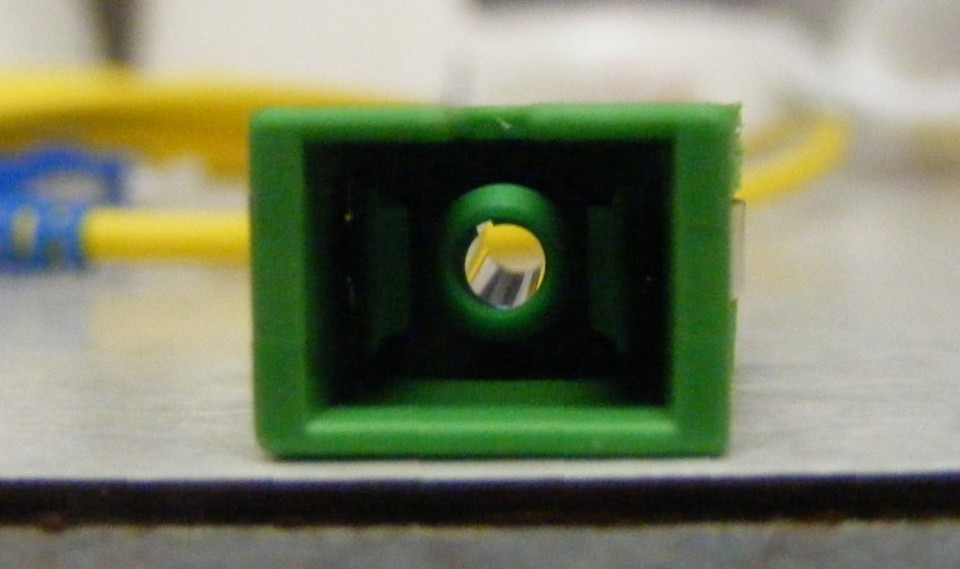
SC-APC: A keyed, rectangular green connector with a push-in latch. Its bulkhead sleeve aligns the ceramic ferrules, and the latch maintains contact between the end faces.
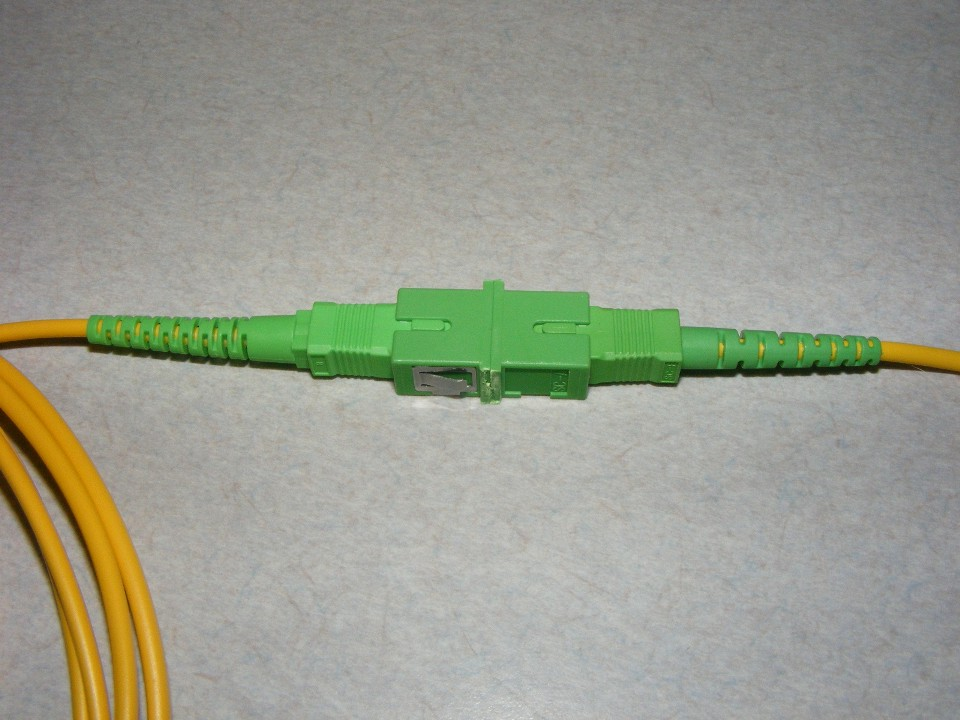
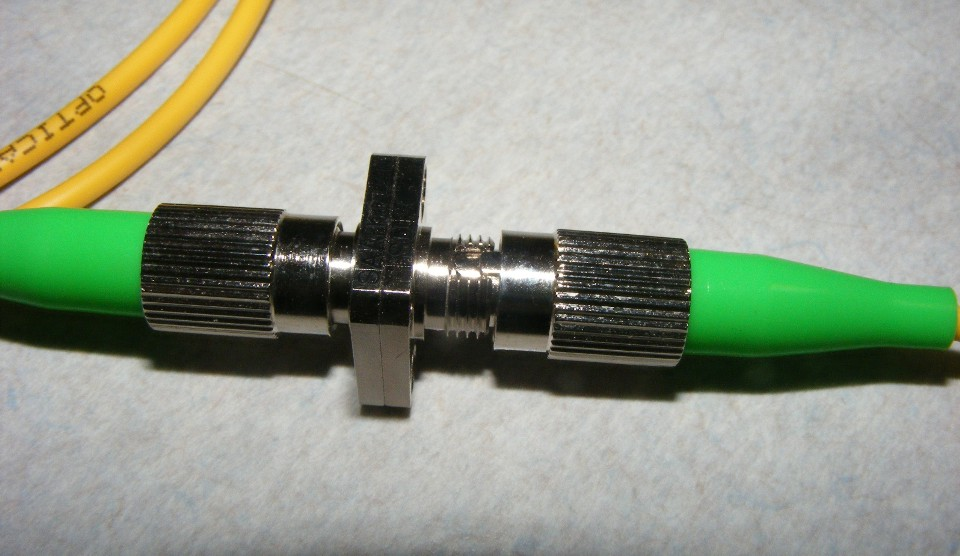
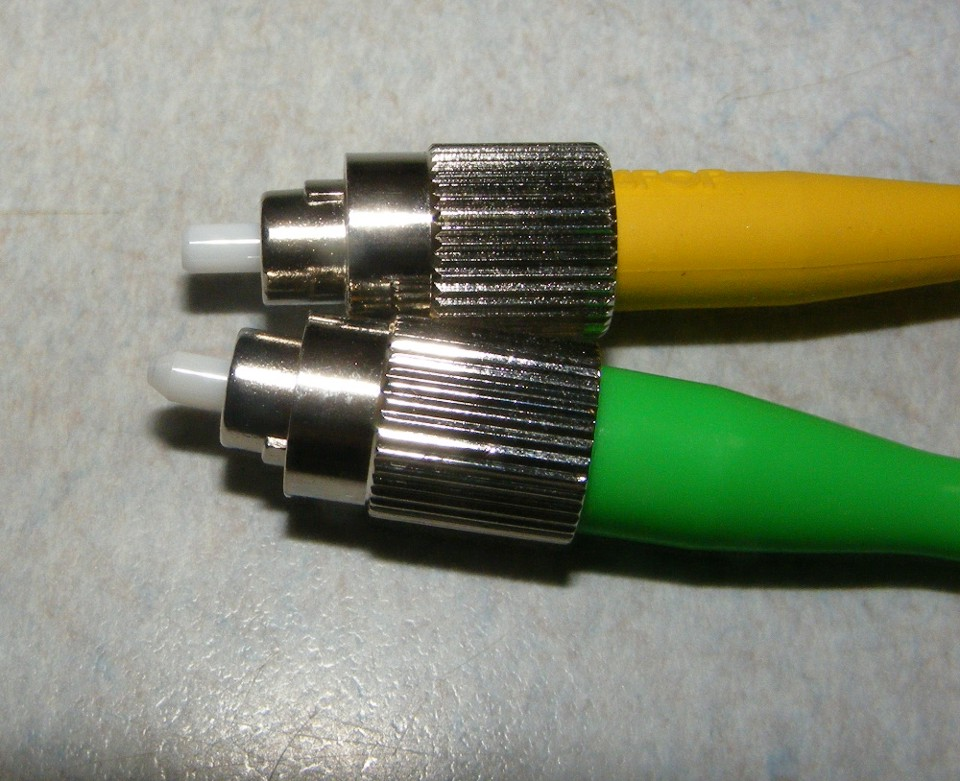
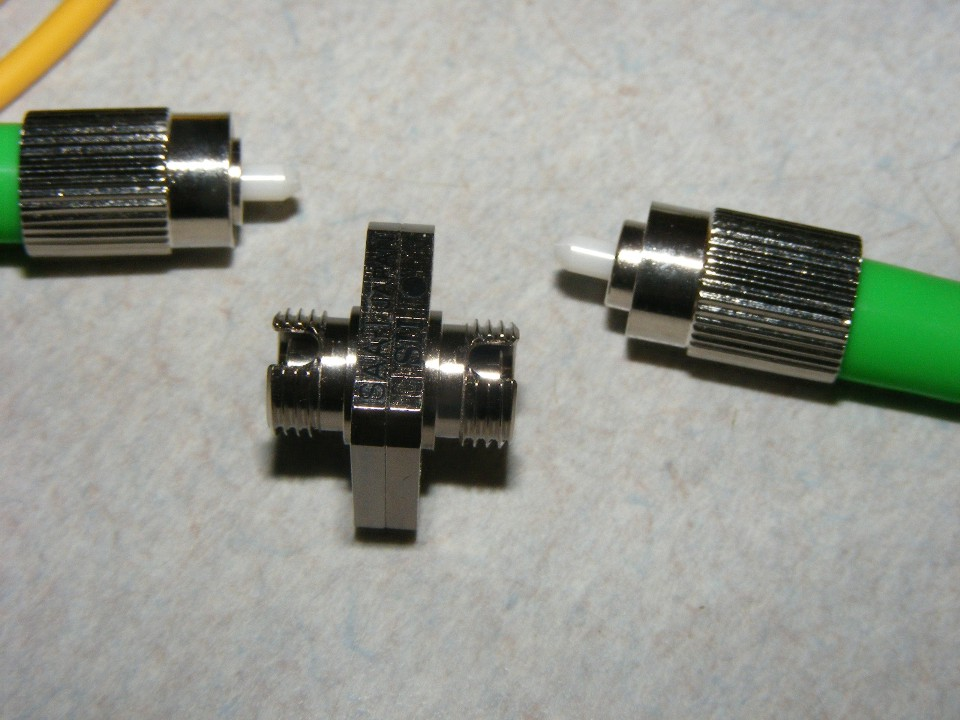
FC-APC: A keyed metal connector with a threaded retaining ring and typically a green identifier. Avoid overtightening: the original installation examples recorded more than 2 dB of additional loss from misalignment.
PC and UPC: Flat-polished connections are unsuitable for the RF optical paths described here. Verify the polish specification rather than relying only on housing or strain-relief color.
LC-APC: A compact, latched green connector approximately half the size of SC. Use APC versions; blue LC-PC and LC-UPC connectors have a different end-face polish.
Check both ends of every jumper. An APC-to-UPC jumper still introduces a flat-polished connection somewhere in the path.
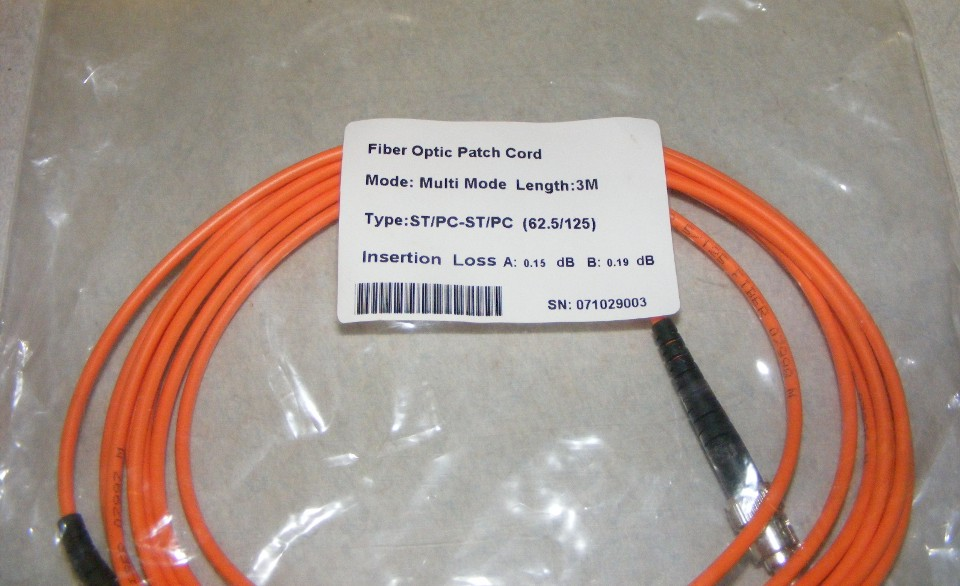
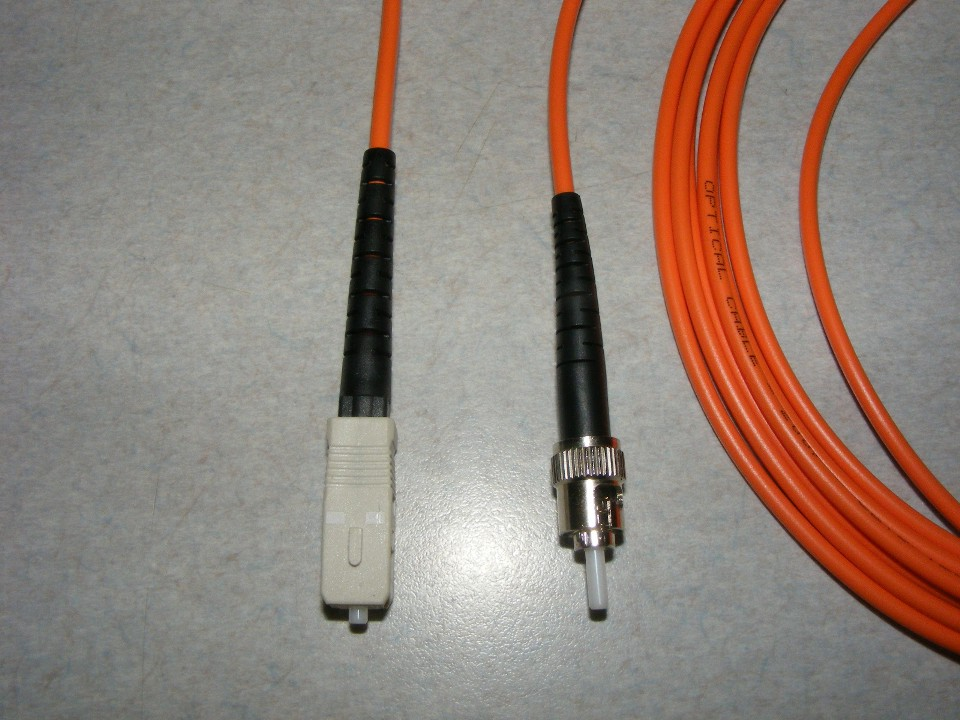
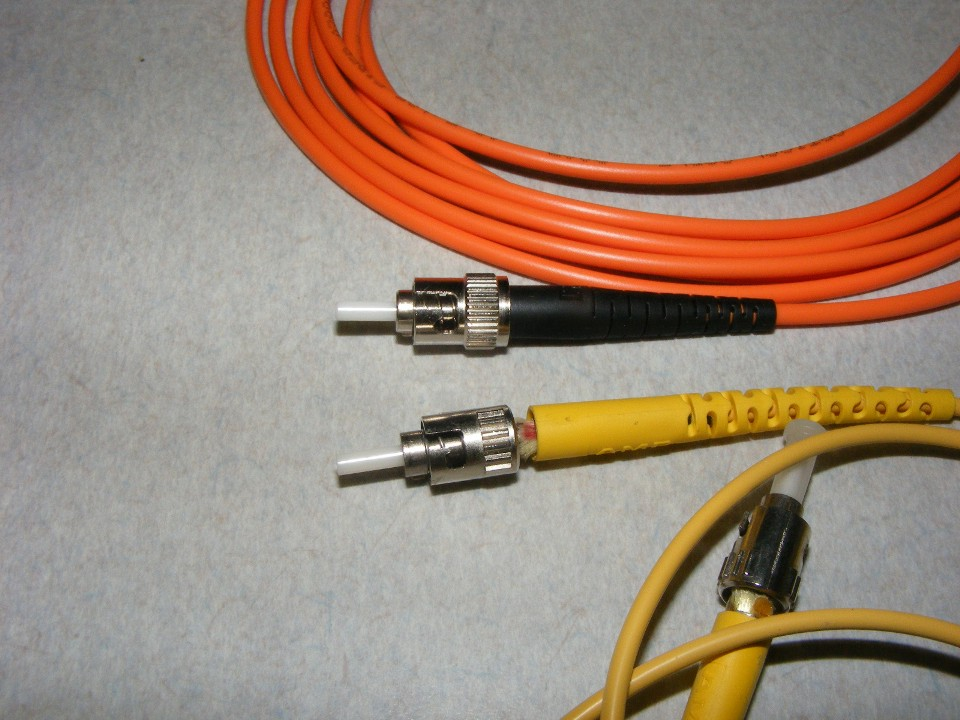
Multimode and ST patch cords: The orange-jacketed multimode cable and flat-polished ST connectors shown below are unsuitable for these RF links. Read the cable label and verify the fiber and connector specifications.
Rule 3: Deliver the correct power to the receiver
Calculate the complete optical loss budget before selecting transmitter power. Include fiber length, fusion splices, connector pairs, splitters, multiplexers, and jumpers. Subtract the total loss in dB from transmitter output in dBm to estimate received optical power.
The original 1310 nm examples use fiber loss of 0.56 dB per mile, 0.35 dB per kilometer, or approximately 0.106 dB per 1000 feet. Use the actual cable specification and measured component losses for your installation. The two-way CATV fiber link diagram illustrates the system arrangement.
Example: A 26-mile point-to-point link
At 0.56 dB per mile, the fiber contributes 14.56 dB of loss. Twenty-five splices at 0.05 dB each add 1.25 dB, for a subtotal of 15.81 dB before connectors and jumpers. If the complete measured path loss is 16.7 dB, a +15 dBm transmitter delivers approximately −1.7 dBm to the receiver.
Example: Eight nearby receiving locations
For campus links of approximately 1–2 miles, an eight-way splitter can contribute more loss than the fiber itself. The original example uses splitter loss just under 11 dB and a +12 dBm transmitter. Add the fiber, jumper, and connection losses for each branch, then check that every receiver falls within its specified input range.
Find the receiver’s operating sweet spot
Too little optical input reduces carrier-to-noise performance. Too much can increase distortion or overload the receiver. In the receivers discussed in the original article, a 1 dB change in optical input produces approximately a 2 dB change in recovered RF level. The article also describes approximately 2 dB of change in C/N and 4 dB in CTB performance for a 1 dB optical input change under its operating assumptions. These relationships explain why the receiver input target matters.
The article’s Olson Technology receiver examples use a DC optical-power test point calibrated to 1.0 V at 0 dBm received optical power. At −1 dBm, the expected reading is approximately 0.79 V. Measure with a high-impedance digital voltmeter, and confirm the calibration and optimum input level in the manual for your receiver.
Check the final connections
Before commissioning, confirm the RF input level, the complete optical loss budget, and the power at each receiver. Inspect every connection for the correct polish type, and verify that factory-made APC pigtails are properly fusion-spliced to the fiber runs.
Use matching FC-APC connections without overtightening their threaded rings.
Remove flat-polished ST connections from the RF optical path.
Inspect the RF connectors, too
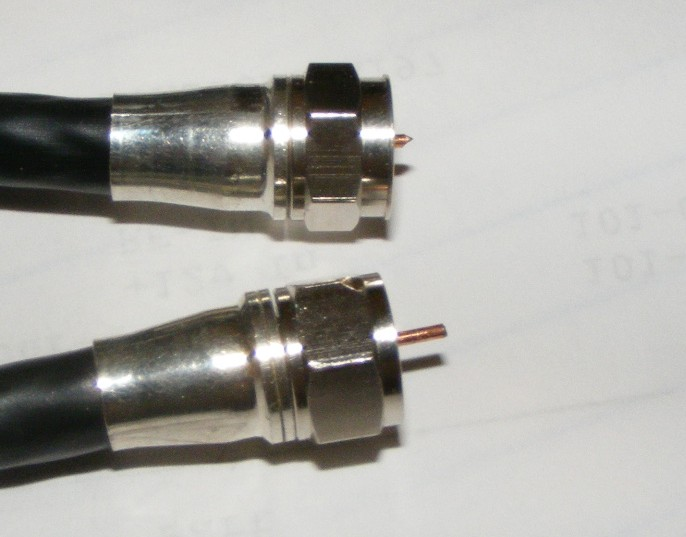
Check the F connectors at the transmitter input and receiver output. In the original example, the correctly prepared center conductor extends approximately 5 mm (3/16 inch). A short conductor may fail to make reliable contact. Follow the connector and equipment manufacturer’s preparation dimensions.
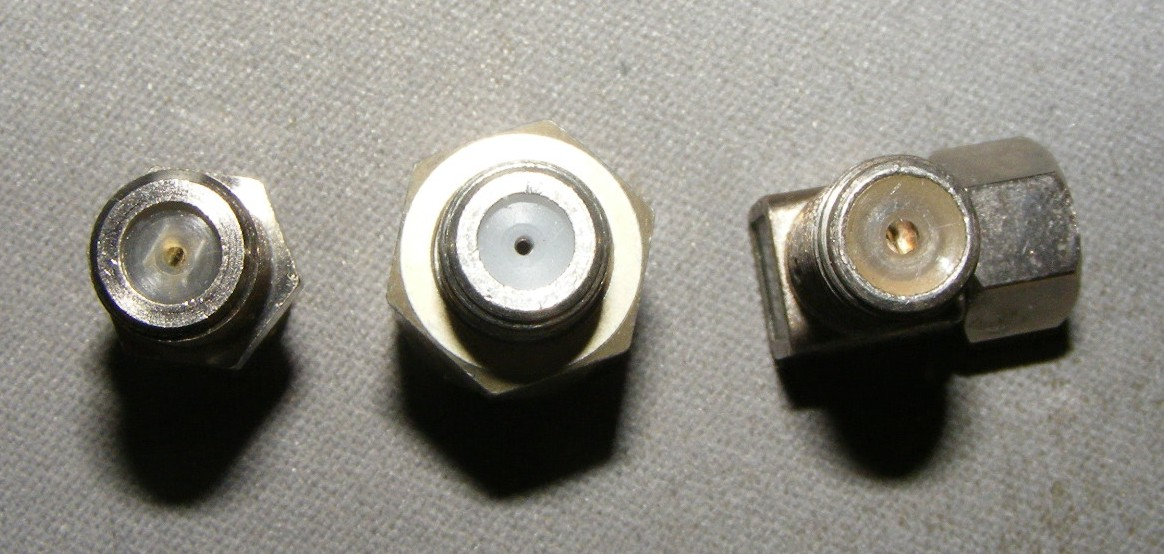
Connector construction also affects high-frequency performance. The original examples compare female connector designs and identify limitations in a right-angle adapter at higher CATV frequencies. Select connectors rated for the full frequency range of your system.
Elevate Your Audio Journey Today
Ready to embark on your auditory adventure? Order your EchoTunes Wireless Earbuds today and let the symphony begin.